

Country Whitelist / Blacklist
Choose exactly which nations can view your content. Block regions with high fraud rates or licensing conflicts in seconds.
Take full control of who accesses your website. Block unwanted regional traffic, restrict VPN/Proxy users, and ensure compliance with regional licensing or regulations — in one click.
Maintain your site's integrity with intelligent geo-fencing.

Available on Wix App Market
Setting up geographic restrictions shouldn't be a technical nightmare. IP Country Block makes it a three-step process.
Select which countries you want to allow or block from a comprehensive, real-time geographic database.
Enable VPN/Proxy detection, create IP blacklists, and determine where blocked users should be redirected.
Track daily traffic by country and see exactly how many restricted attempts were successfully blocked in real-time.
Any business with regional obligations, licensing restrictions, or fraud concerns needs precise geo-fencing. IP Country Block handles it in one click, without developer involvement.
Enforce content licensing by limiting playback and access to countries where you hold the rights — no backend coding needed.
Prevent orders from regions you don't ship to, reduce fraud from high-risk countries, and keep your support queue clean.
Meet legal and compliance requirements by restricting access from jurisdictions where your products or services aren't permitted.
Block visitors from countries where your platform is not licensed to operate, reducing legal exposure in a single toggle.
Block known high-fraud regions, VPN users, and Tor exit nodes to drastically reduce chargebacks and fake account registrations.
Run exclusive promotions, pricing, or content for specific markets — visible only to visitors from your target geography.
A complete geo-fencing layer for your website — built to stay accurate and impenetrable.
Choose exactly which nations can view your content. Block regions with high fraud rates or licensing conflicts in seconds.
Block visitors who try to bypass regional restrictions using VPNs, Proxies, or the Tor network with one toggle.
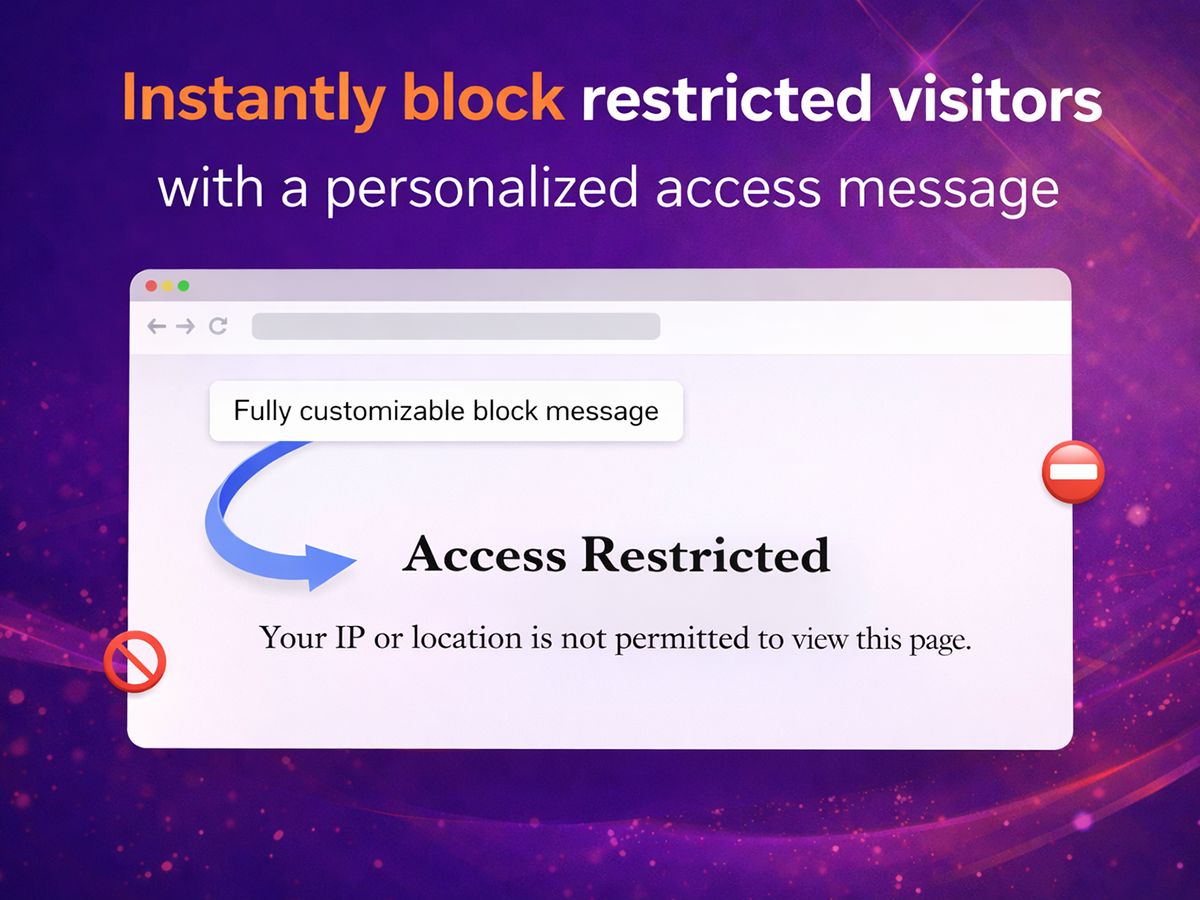
Don't just block visitors — send them to a specific URL that explains the restriction or offers a regional alternative.
See exactly where your traffic is coming from and which regions are triggering the most blocks — updated in real time.
Manually block or allow individual IP addresses alongside country-level rules for maximum access control flexibility.
Install from the Wix App Market, select your countries, and go live — no code, no backend configuration required.
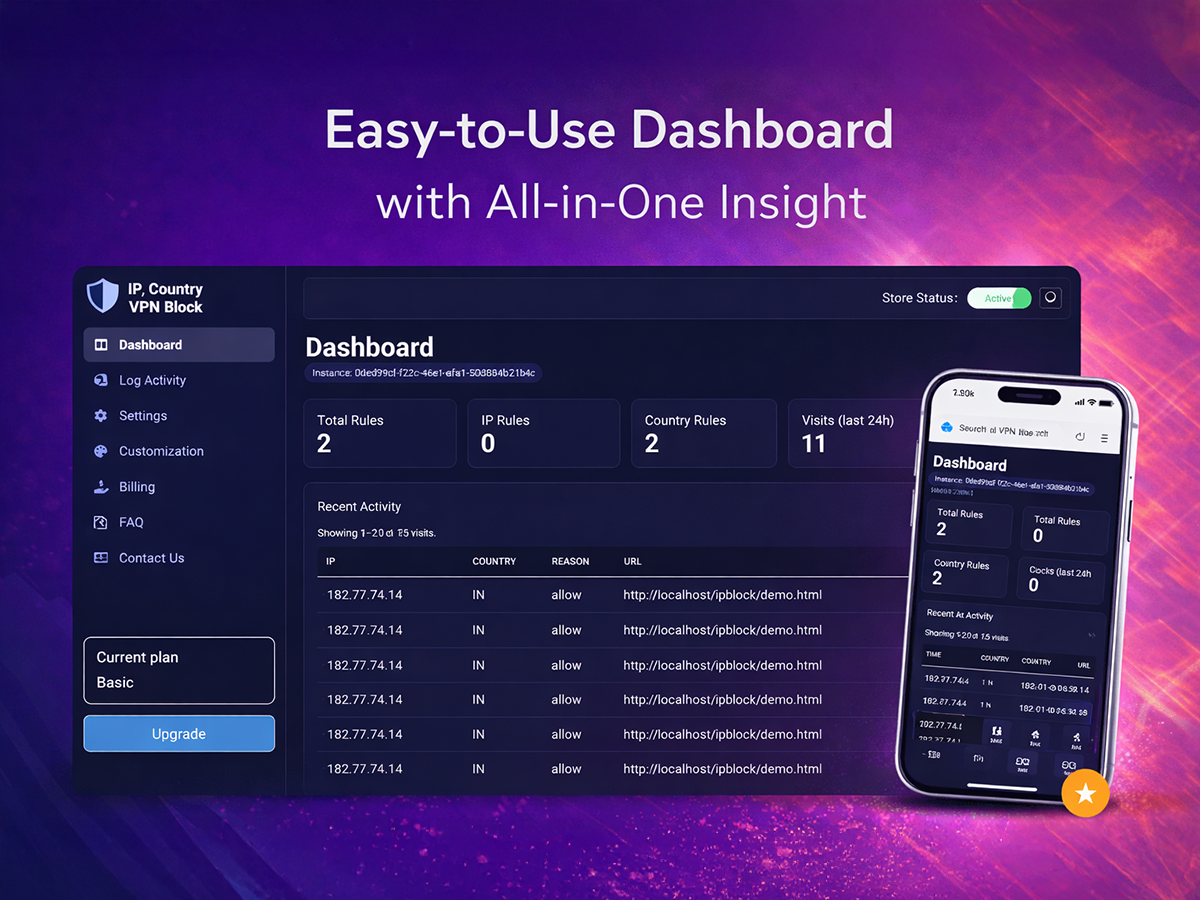
A clean, intuitive dashboard that puts geo-fencing, VPN detection, and traffic logs all in one place.
Select from a live geographic database. Toggle countries between allowed and blocked in seconds — no coding required.
Enable advanced detection to block visitors who try to bypass your regional restrictions using anonymizing tools.
IP Country Block gives you instant, no-code control over who can access your Wix website. Whether you're enforcing content licenses, avoiding high-fraud regions, or meeting regulatory requirements — it all happens in a single dashboard.
When a visitor arrives from a blocked country or masked IP, they're silently redirected to a URL of your choice. Legitimate visitors in allowed regions experience your site without any interruption.
Whether you run a media platform, an e-commerce store, or a regulated service, IP Country Block ensures your geographic boundaries are enforced automatically — 24/7, without a single line of code.
"We only have licensing rights for North America. IP Country Block ensured we stayed compliant overnight without any complex server coding. It handles VPN users perfectly."
"Our support team was being overwhelmed by spam from specific regions. Blocking those countries at the border reduced our daily ticket volume by 60%. Absolute lifesaver."
"Setup took less than two minutes. I selected the countries to block, enabled VPN detection, and that was it. Chargebacks from high-risk regions dropped immediately. Highly recommend."
IP Country Block lets you allow or block visitors based on their country, detect VPN/Proxy/Tor usage, and manage individual IP blacklists — all from a simple dashboard with no coding required.
We use a daily-updated IP geolocation database with 99.8% precision at the country level, ensuring legitimate visitors are never incorrectly blocked while keeping restricted traffic out.
Not if you enable the Advanced Security layer. It specifically detects and blocks traffic from known VPN providers, data centers, and the Tor network — even when users mask their real location.
Yes. You can manually add individual IP addresses to a blacklist alongside your country-level rules, giving you precise control over specific bad actors regardless of their reported location.
No. The app runs lightweight background checks that are invisible to your visitors. Allowed visitors experience no delay, and the geo-check adds no perceptible impact to your page load times.
Yes. Once installed and configured, the rules apply site-wide across all pages of your Wix website — including your homepage, product pages, blog, and checkout.
Yes. The real-time traffic logs show you a breakdown of visitor origins by country, how many were allowed vs. blocked, and which IP addresses triggered the most rules.
Yes. We offer a 7-day free trial so you can test all features — including VPN detection and traffic logs — before committing to a paid plan.
You can upgrade, downgrade, or cancel your plan at any time from the Billing section in your app dashboard. Changes take effect immediately with no penalties.
If you need help with setup or configuration, reach our support team at support@wixstore.shop. We typically respond within one business day.
Install in minutes and take full control over who can access your Wix website — no coding required.
Start Free TrialGeo-fencing. VPN detection. IP blocking. All in one app.


